This video doorbell is packed with smart features like AI detection and compatibility with Alexa and Google Assistant. It's a great choice for renters or anyone wanting a temporary security solution. However, I encountered some delays that impacted both video and audio quality, and the hardwiring instructions could definitely be clearer.
Reasons to Buy
Complete kit available for $69
Customizable settings in the app
User-friendly software setup
Effective AI detection
Compatible with Alexa & Google Assistant
Live view and playback features
Includes helpful quick response options
Reasons to Avoid
Installation instructions could be clearer
Lag times affect performance
No privacy zone settings
Cannot record missed rings
As one of the most affordable options, the Tapo D210 provides an entry-level solution for securing your front door. I’ve used video doorbells for nearly a decade, experiencing both permanent and temporary models.
I was eager to test the Tapo D210 Video Doorbell, found on Amazon. After testing, I appreciated its motion detection, customizable night modes, and the ability to change the chime's ringtones.
However, I did notice that lag times affected both image and audio quality. While I could generally identify people, pets, or vehicles, the installation options are quite flexible. Is this video doorbell the best choice for you? Here’s my perspective to help you decide.
My One-Minute Summary
The Tapo D210 Video Doorbell serves as an excellent entry-level security device, particularly for renters. With some DIY knowledge (helped by my husband), I managed to navigate the installation and received accurate alerts for motion within a 20-foot range.
Its adhesive backing allows for quick installation on smooth surfaces without causing permanent damage, making it ideal for renters.
The Tapo app is responsive and offers sufficient customization options. You can easily access live and recorded footage, plus three night mode settings: Infrared, Doorbell, or Full Color.
That said, the video and audio quality left something to be desired. Details often got lost when subjects approached the camera, and two-way communication experienced delays. This could be due to weak signal strength, which I haven’t faced with other doorbells.
Having previously used Ring models, which cost around $100+, I noticed the Tapo D210 lacks some advanced features. If you'd like greater customization and the option to see missed rings, consider the Ring Battery Doorbell Pro.
For those looking to avoid subscription fees, options like the eufy E340 and the Lorex 2K are worth exploring.
Tapo D210 Video Doorbell: Specifications
Video Resolution | 2K 3MP |
|---|---|
Field of View | 160 degrees |
Sensor Type | 1/3” Progressive Scan CMOS Sensor |
Object Recognition | Yes - person, pet, vehicle, package |
Battery Life | 180 days |
Recharge Time | 7 hours |
Storage Options | microSD card (sold separately) or Tapo Care Cloud Storage |
Free Trial? | Yes - 3 days of Tapo Care |
Tapo D210 Video Doorbell: Installation and Setup
The Tapo D210 Video Doorbell comes with all necessary components for setup, except a drill or screwdriver. It includes a 5V USB charger, chime, mounting template, and various installation accessories, providing ample configuration options.
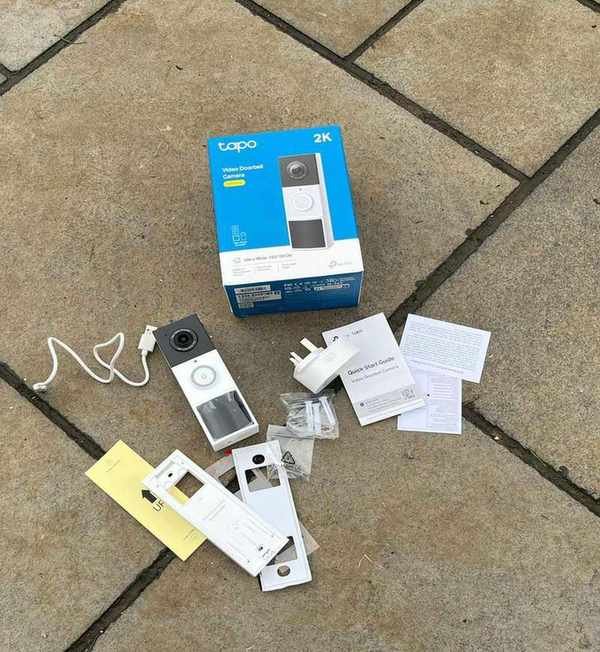
Everything included in the Tapo D210 Video Doorbell kit.
Step one is charging the device for seven hours. While waiting, I prepped the wedge for mounting and downloaded the Tapo app.
Initially, I hesitated to use the wedge because of the D210’s 160-degree view. However, I found it helpful in obtaining a better angle from the fence post. The tiny screws were a bit challenging to handle, but I managed with the right tools.
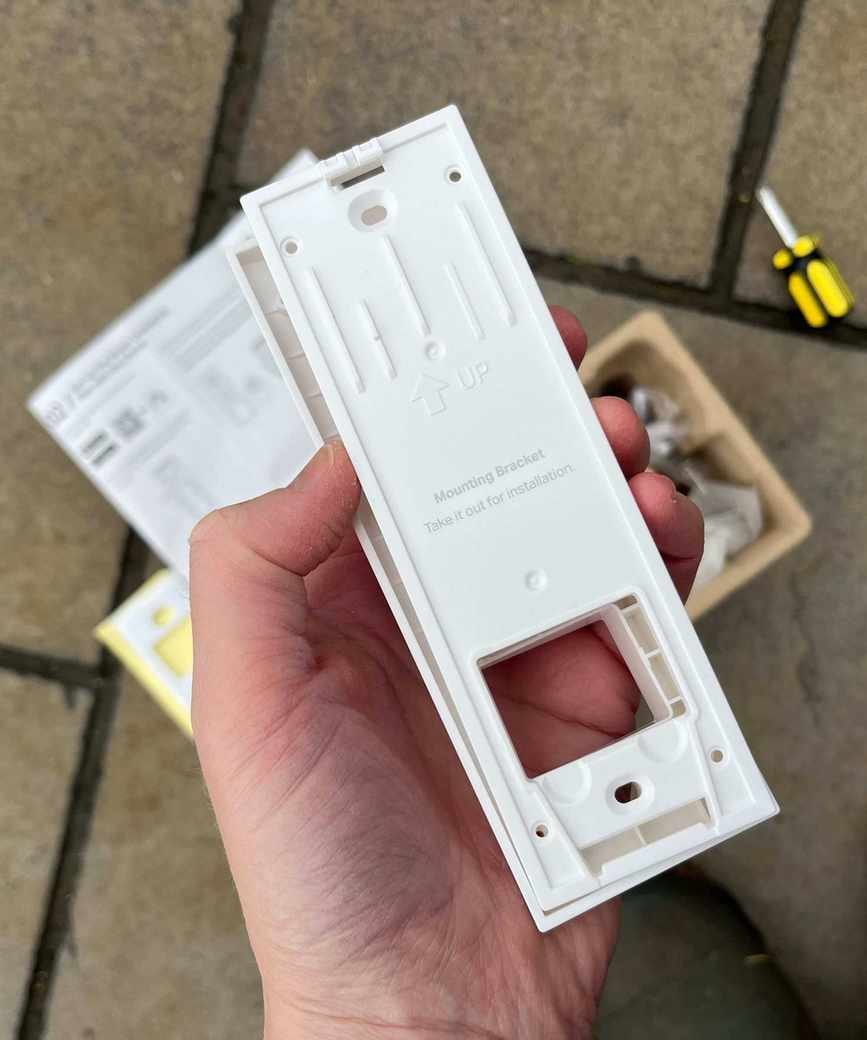
I opted to install the Tapo D210 with the wedge for a better view around the corner.
My husband assisted with securing the mounting bracket to the damp fence post, as he possesses the necessary DIY skills. The screws could be of better quality, as they tended to strip easily, making future removals potentially problematic.
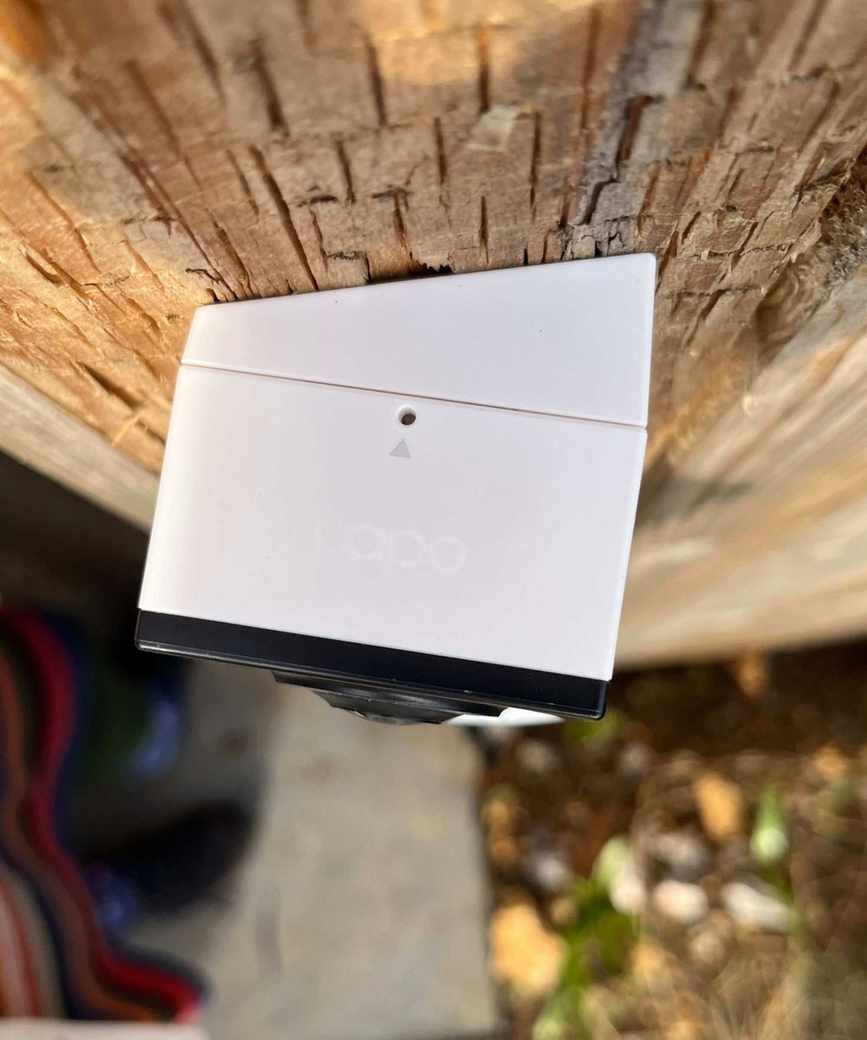
To detach the Tapo D210 Video Doorbell, use the pin in the hole at the top.
Affix this doorbell on your property for optimal benefits. Whether using the 3M adhesive for smooth tiles or the provided screws for brick, it’s straightforward.
Next, I paired the doorbell with the chime by scanning the QR code in the Quick Start Guide. The app is available through the App Store or Google Play, and I found the setup process quite user-friendly.
Ensure your Wi-Fi router is optimally placed for the best connection during installation. The D210 requires 2.4 GHz Wi-Fi, and a microSD card is optional for local storage. The chime also required a quick firmware update, which took just seconds. Total setup took around 10 minutes.
You can customize ringtones and volume levels on the chime, which includes six options ranging from about 87dB to 91dB. Unfortunately, these settings cannot be adjusted through the app.
Tapo D210 Video Doorbell: Video Quality
After a week of use, the video quality varied.
Daytime: With a 135-degree horizontal and 109-degree vertical field of view at up to 2K resolution, I could identify faces at the gate but struggled with details as people approached. The image quality was occasionally grainy, possibly due to my internet connection. A 10.8 zoom option resulted in pixelation, making it difficult to read details like license plates or branding on packages.
This doorbell proved resilient against rain during testing, maintaining good daytime footage quality.
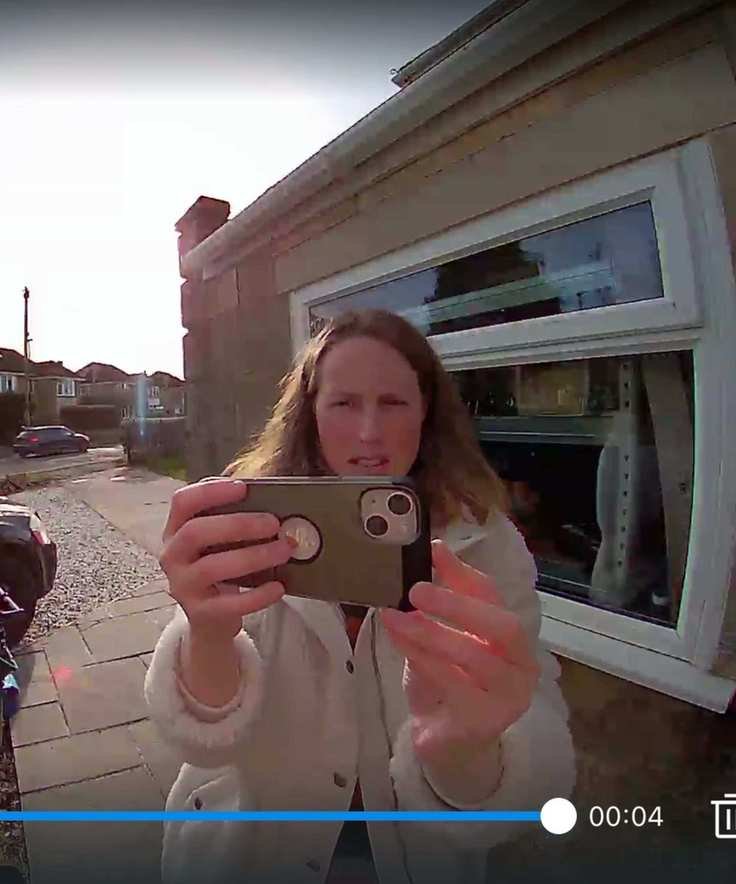
The Tapo D210 offers 2K resolution (shown here) with additional quality options.
Nighttime: The app features three night mode options: Infrared (black and white), Doorbell (spotlight activation), and Full Color (constant spotlight). I found Infrared Mode most effective, reducing glare and providing better clarity. Faces were recognizable in all modes, with motion detected promptly.
This doorbell serves as a solid security measure, even though nighttime visibility could improve.
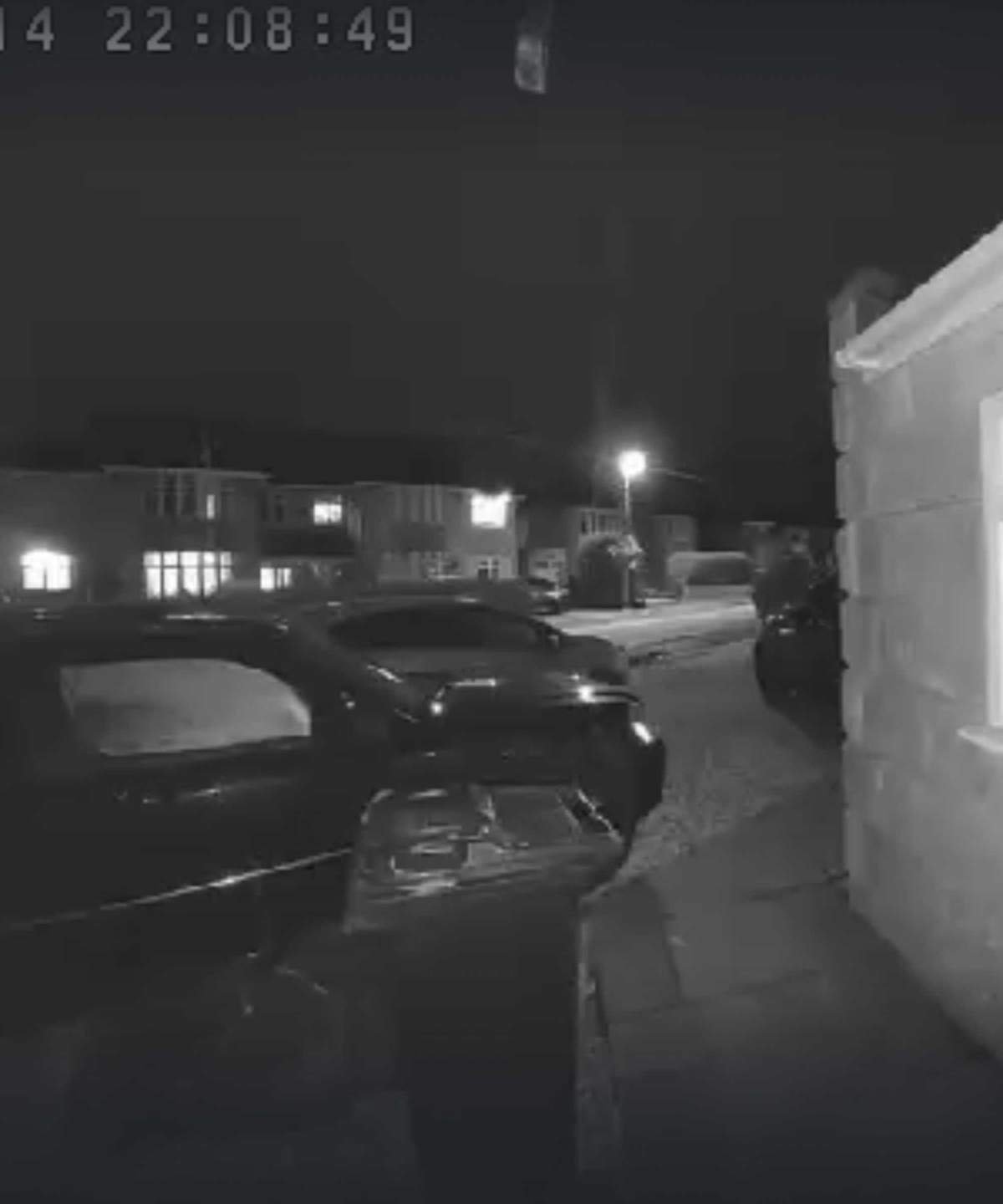
Infrared Mode enhances nighttime visibility, with options for color night vision.
Dynamic Light: The front of my home receives abundant sunlight, which the camera handles well, avoiding backlight issues. However, daytime footage can still suffer from glare.
Tapo D210 Video Doorbell: Audio Quality
Audio quality is often compromised, with noticeable interference during live and playback viewing. Conversations through two-way audio lagged, creating a less-than-ideal experience.
Background noises, such as birds or traffic, were amplified, but I could still understand conversations.
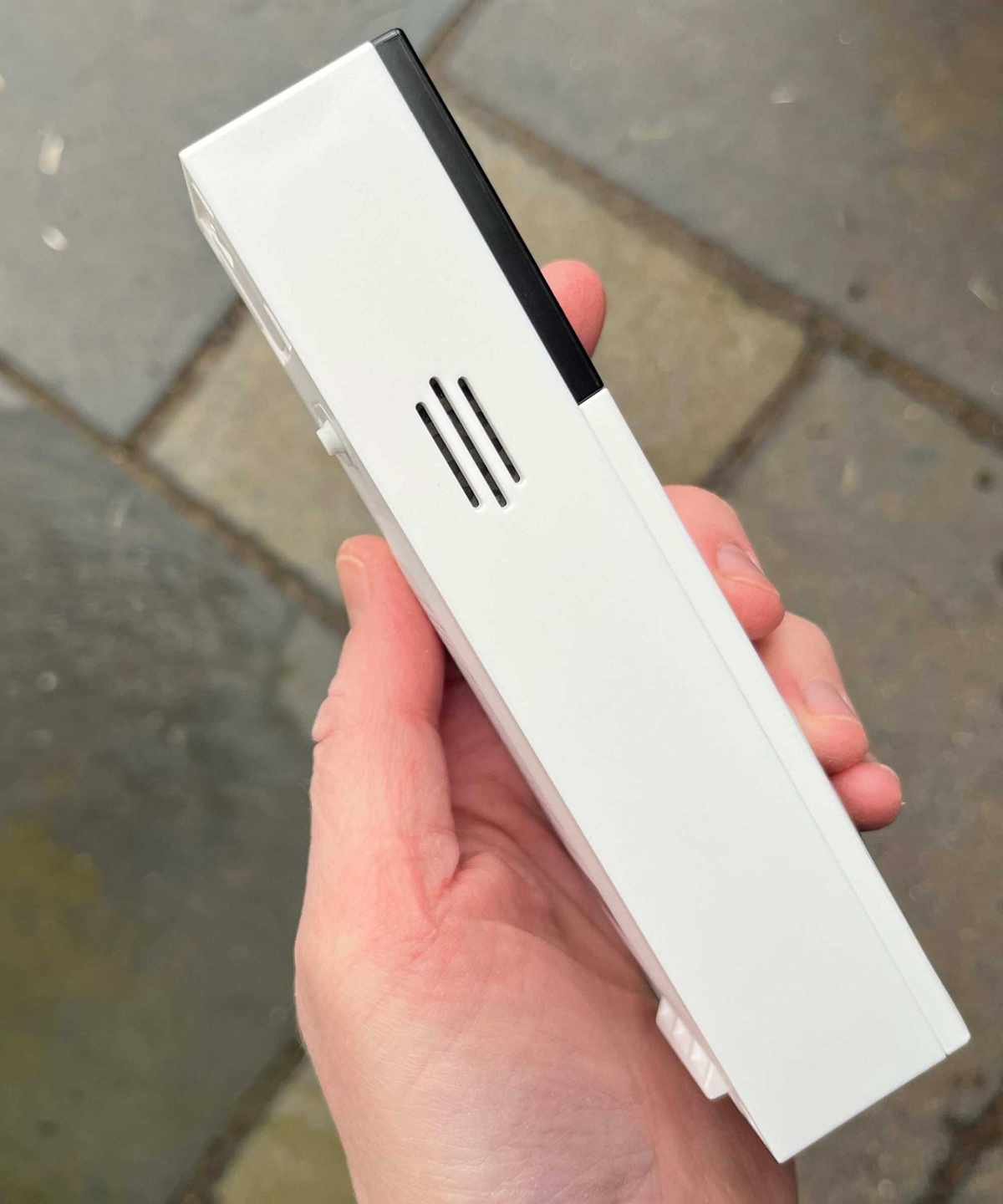
Background sounds like birds and traffic can be heard through the Tapo D210’s speakers.
Tapo D210 Video Doorbell: App and Smart Features
The Tapo app is easy to navigate. You can download it by scanning the QR code or from Google Play and the App Store.
It integrates seamlessly with Google Home and Amazon Alexa devices, including the Echo Show, which receives alerts when the doorbell is rung.
Customization options include viewing footage in 2K, 360p, or Auto, though higher quality may drain the battery faster. You can also adjust spotlight brightness and night mode settings.
Through the app, you can converse with visitors and trigger quick voice responses, even without someone ringing the bell.
Detection Tag is an interesting feature that uses AI to identify people, animals, vehicles, and packages, but it’s limited to live view, and its utility is uncertain.
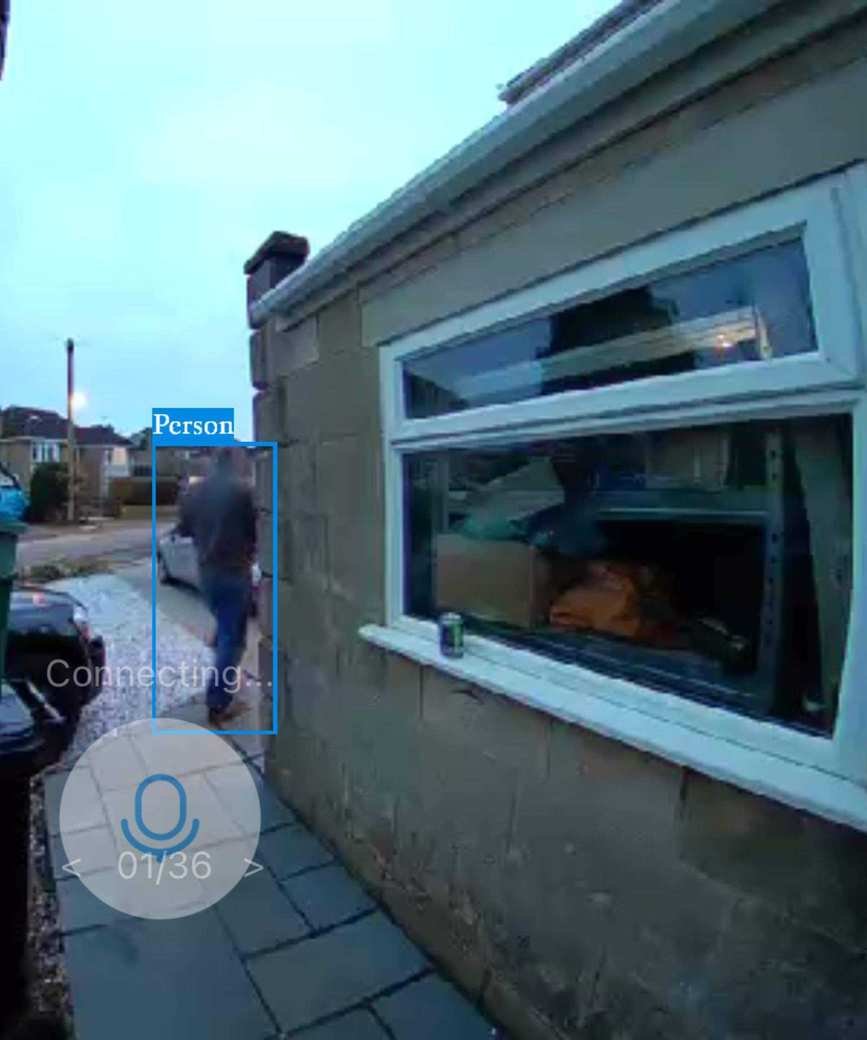
Detection Tag identifies people and objects in live view, showcasing its AI capabilities.
Accessing and downloading past events stored in Tapo Care Cloud is easy during the 30-day free trial. If you choose to purchase a microSD card, recordings are stored locally.
One notable omission is the lack of privacy zone settings, which would prevent neighboring properties from triggering alerts, a feature offered by competitors like Ring. The Tapo app does include a "Privacy Mode" to disable streaming and recording for your protection.
Tapo D210 Video Doorbell: Motion Detection and Notifications
This doorbell can detect people, vehicles, animals, and packages, sending notifications to your phone for each detection.
I found its motion detection to be adequately sensitive, avoiding alerts for minor movements like passing birds. However, notifications were frequent while my husband moved between parked cars and the garage. All alerts are stored in the app’s Playback & Download section.
When someone rings the bell, my phone alerts like a call, which feels a bit excessive. Unfortunately, there's a delay before my phone starts ringing, which can be frustrating compared to my wired doorbell experience.
There’s also a slight delay during two-way audio, making some connections laggy. The D210 integrates with Amazon Alexa and Google Home for notifications, but I’m not fully equipped for smart home integration yet.
Tapo D210 Video Doorbell: Power and Battery Life
The Tapo D210 operates solely on battery, making it a renter-friendly security option. The built-in 6400mAh battery is rated for up to 180 days. After a day of use, I noted a 14% battery drain, so I doubt it will last the full duration.
To conserve battery, I set the video quality to